Quick Word Count — Write Smarter, Publish Faster.

Quick Word Count helps you count words, characters, sentences, paragraphs, reading time, speaking time, and keyword density in real time.

Text Editor
Quick Text Tools

0 characters total

Live Analysis

Writing a book? Track your progress.

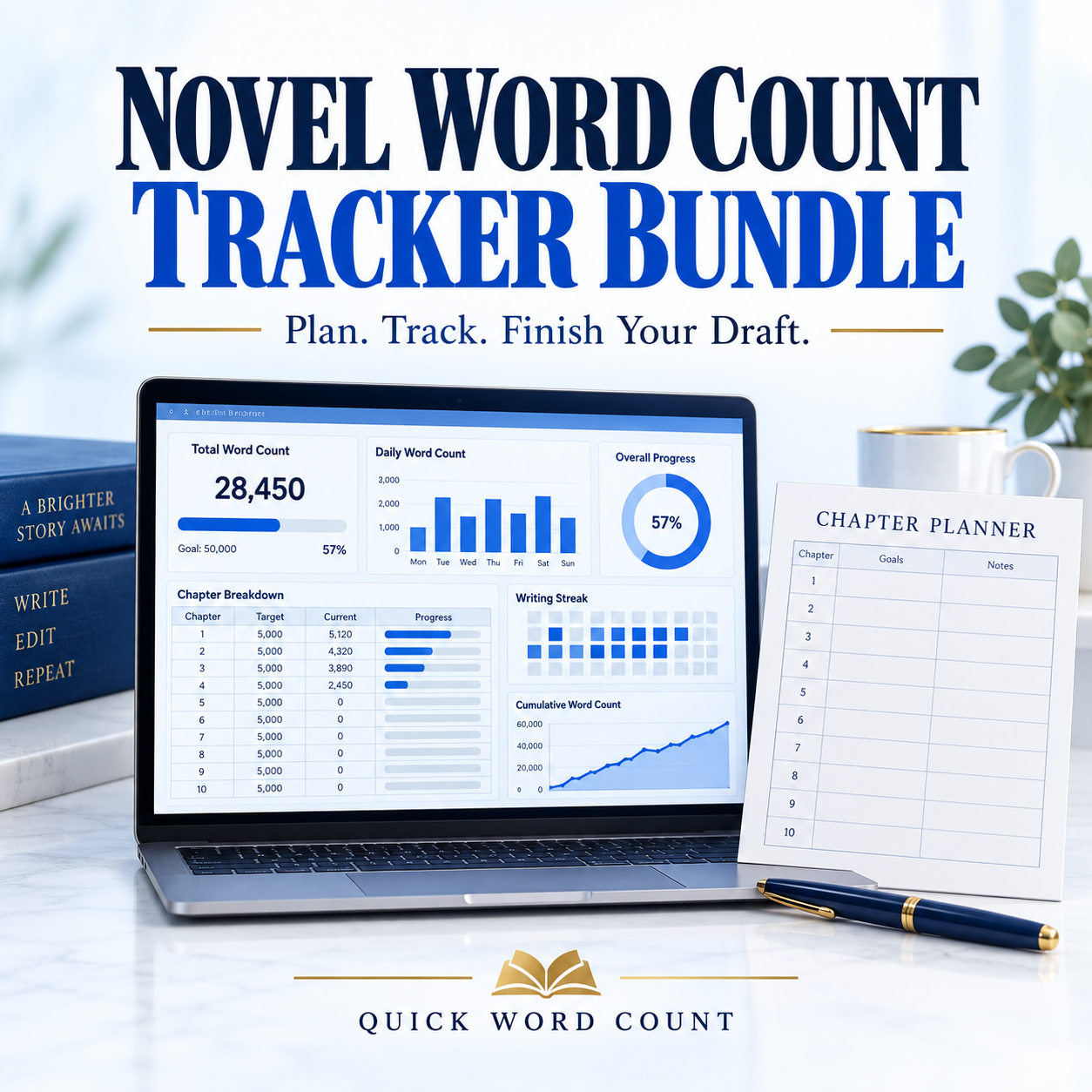
Stay organized with the Novel Word Count Tracker Bundle. Track daily word goals, chapters, and writing progress in one simple system.

Get the Novel Tracker

Your Text Analysis

Words0
Characters0
Characters (no spaces)0
Sentences0
Paragraphs0
Lines0
Unique words0
Avg words / sentence0
Reading time0min
Speaking time0min
Social Media Character Limits

Track your text against common platform constraints

Instagram

Ideal bio length
0 / 150
150 characters remaining

Facebook

Optimal post length
0 / 250
250 characters remaining

X / Twitter

Maximum tweet length
0 / 280
280 characters remaining

LinkedIn

Ideal post summary
0 / 300
300 characters remaining
Novel Word Count Tracker Bundle cover

Digital download

Novel Word Count Tracker Bundle

Plan chapters, track daily words, and finish your draft with an editable Excel tracker and printable PDF planner.

$5.99

View the Novel Tracker

Count Words. Understand Your Writing. Make Every Word Work.

Quick Word Count is a free collection of writing tools designed to help writers, students, bloggers, authors, speakers, professionals, and everyday communicators understand their writing more clearly.

Sometimes you need more than a number. You may need to know whether your essay meets an assignment requirement, whether your social media caption fits a character limit, how long your speech will take to deliver, or whether you are staying on track with the novel you are writing.

Quick Word Count brings those everyday writing questions together in one simple place.

Use our tools to count words, characters, sentences, and paragraphs, estimate reading and speaking time, and better understand the length and structure of your writing.

Free Writing Tools for Real Writing Tasks

  • Word Counter — Check the number of words in essays, articles, stories, manuscripts, assignments, emails, and other written content.
  • Character Counter — Measure characters for social posts, titles, descriptions, applications, forms, and other character-limited content.
  • Reading Time Calculator — Estimate how long a piece of writing may take an average reader to read.
  • Sentence Counter — Review how many sentences appear in your writing and better understand its structure.
  • Words to Minutes Calculator — Estimate how long a speech, presentation, sermon, lesson, or script may take to deliver.

Who Can Use Quick Word Count?

Quick Word Count can help students checking assignments, authors tracking manuscripts, bloggers preparing articles, content creators writing captions, speakers preparing presentations, teachers reviewing material, professionals drafting reports, and anyone who wants a clearer picture of their writing.

More Than a Word Counter

Word count is often the starting point, but strong writing involves more than reaching a number. Length affects how writing feels to a reader. A short message may need to communicate quickly, while a longer article needs organization and readability.

Our goal is to provide simple tools and useful writing resources that help people make informed decisions about their work.

For Writers Working on Longer Projects

Writing a novel can be difficult to manage when chapters, daily goals, and overall progress are tracked separately. The Quick Word Count Novel Word Count Tracker Bundle provides an organized way to plan and monitor a writing project from idea to finished draft.

Learn more about the Novel Word Count Tracker Bundle →

How to Use Quick Word Count

Get the most out of your text analysis with these five simple steps.

01
1

Paste Your Text

Simply type or paste your text directly into the input area. The tool processes your content instantly in real-time as you type.

Pro Tip: You can easily paste content from various sources like Word documents, emails, or web pages.

02
2

Review Word Count Results

Scroll down slightly to instantly see your total word count and other detailed text metrics displayed in the results area.

Pro Tip: Use this feature to ensure you perfectly meet strict word count requirements for essays, articles, or social media posts.

03
3

Check Character Count

Keep a close eye on total characters, which is crucial for formatting and passing specific platform length constraints.

Pro Tip: Pay attention to characters with and without spaces, as different platforms (like Twitter, SMS, or form fields) calculate them differently.

04
4

Estimate Reading Time

The tool automatically calculates accurate reading and speaking time based on standard average reading speeds (200 words per minute).

Pro Tip: Adjust your expectations based on your audience—technical content usually takes slightly longer to read than casual blog posts.

05
5

Improve Writing Before Publishing

Review your overall metrics, including keyword density, to refine, edit, and thoroughly optimize your content length.

Pro Tip: Always focus on balancing your exact word count goal with high content quality and readability to keep your audience fully engaged.

Who Can Use This Word Counter?

Whether you're drafting a quick tweet or a full-length novel, our text metrics help you hit your goals.

Students

Ensure your essays and assignments meet strict minimum or maximum word count requirements. Track your academic writing progress and manage deadlines effectively by knowing exactly how much you have written.

Example use case:Instantly check if your term paper hits the required 2,000-word mark before submitting.

Bloggers

Optimize your blog posts for search engines and reader engagement. Track reading time to ensure your content is not too lengthy for busy readers while maintaining enough depth for strong SEO performance.

Example use case:Calibrate your article to hit a sweet spot of a 5-minute reading time.

Writers

Track your daily writing progress on novels, short stories, and freelance articles. Maintaining a steady, predictable word count is essential for pacing and hitting your manuscript milestones.

Example use case:Monitor your daily 1,000-word goal for manuscript completion or NaNoWriMo.

Job Seekers

Optimize your resumes and cover letters for readability and Applicant Tracking Systems (ATS). Keep your professional documents concise, focused, and impactful to stand out to recruiters.

Example use case:Ensure your cover letter fits perfectly on a single page by managing total word volume.

Business Owners

Improve your corporate communications, marketing emails, and client proposals. Ensure your messaging is direct, professional, and respects your busy audience’s time.

Example use case:Keep executive summary emails brief and readable in under two minutes.

Social Media Creators

Manage platform-specific character limits effortlessly. Craft the perfect engaging captions without the frustration of getting cut off during publishing or dealing with awkward line breaks.

Example use case:Check strict character limits for Twitter/X threads, Instagram captions, and LinkedIn updates.

What is Quick Word Count?

Quick Word Count is a free toolkit for writers, students, and professionals who need more than a single number. Alongside the word counter above, the site includes a dedicated Character Counter for social media and form limits, a Reading Time Calculator for pacing articles and speeches, and a blog of writing and SEO guides to help you put those numbers to use.

Every tool runs entirely in your browser, so your text stays private, and results update instantly as you type — no sign-up, no installation, and no daily limits.

Explore the Quick Word Count toolkit

Not sure which tool fits your task? Here's a quick guide to what's available on the site:

  1. Word Counter: Use the box above for a full breakdown — words, characters, sentences, paragraphs, reading time, and keyword density in one place.
  2. Character Counter: Switch to the Character Counter page when you need to fit a strict limit, like a tweet, bio, or meta description.
  3. Reading Time Calculator: Check how long an article or speech will take to read or deliver before you publish or present it.
  4. Blog & Guides: Browse practical articles on hitting word counts, writing for SEO, and formatting for readers.
  5. Copy or Clear: Once you're happy with your text above, use the "Copy" button to grab it, or hit "Clear" to start over.

Why word count and character count matter

Whether you are an aspiring author or a digital marketer, length constraints are everywhere. Different platforms and formats require specific text lengths to perform optimally:

  • Search Engine Optimization (SEO): Articles that are too short might not rank well, while those that are too long might lose reader engagement. Tracking word count helps you hit the sweet spot (often between 1,000 and 2,000 words for deep-dive content).
  • Social Media: Platforms like X (Twitter) have strict 280-character limits. Our built-in tracker prevents the frustration of editing a post after hitting the limit.
  • Academic Requirements: Essays and dissertations strictly enforce minimum and maximum word limits.

A versatile tool for everyone

Students & Academics

Ensure essays meet strict minimum/maximum word counts without going over.

Content Creators & Bloggers

Optimize post lengths for SEO and ensure ideal reading times for your audience.

Social Media Managers

Draft perfect tweets, Instagram bios, and Facebook posts within character limits.

Job Seekers

Keep resumes concise and cover letters impactful by tracking document length.

Reading time and keyword density explained

Reading and Speaking Time: Knowing how long it takes to consume your content is vital for audience retention. Our tool calculates reading time based on an average reading speed of 200 words per minute, and speaking time at 150 words per minute—perfect for speechwriters preparing for presentations.

Keyword Density: To rank well on search engines without "keyword stuffing," you need to track how often your main topics appear. Our tool extracts your most used words and calculates their percentage relative to the total text, helping you maintain a natural, balanced vocabulary.

Frequently asked questions

Is this word counter free to use?

Yes! Quick Word Count is 100% free with no daily limits or sign-ups required. You can analyze as much text as you need.

Does this tool save my text?

No. Your privacy is our priority. All processing happens locally in your web browser. We do not store, save, or transmit your text to any external servers.

How accurate are the character limits for social media?

We constantly monitor major platforms for updates to their formatting limits. Our tool tracks the absolute character count standard used by Instagram, Facebook, LinkedIn, and X (Twitter).